Cabecera
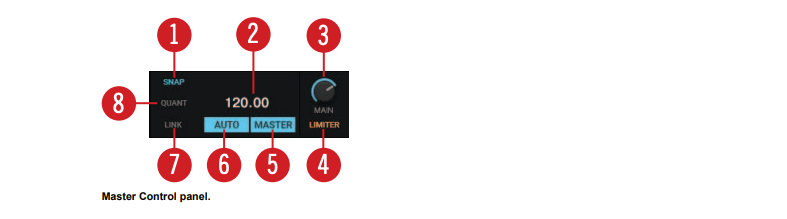
(2) MASTER CLOCK TEMPO display: Displays the current tempo and offset of the Master Clock. You can enter a new tempo with a double-click.
(5) MASTER: When enabled you can play on four Decks with a stable tempo reference. It is also the mode to be used when TRAKTOR is sending out the master tempo via MIDI Clock messages to another application or hardware being slaved to TRAKTOR.
(6) AUTO: When enabled TRAKTOR automatically selects one of the Decks as Tempo Master. The Master Clock then automatically syncs to the Master Deck.