Mixer
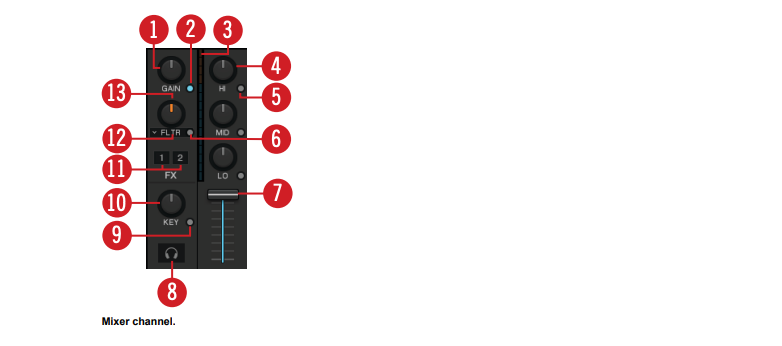
The Mixer channel contains the controls to adjust the Mixer channels’ volume and to modulate the audio signals’ frequency. Furthermore, you can assign the Mixer channel to the FX Units and route the audio signal to the Headphone Cue channel.
(1) GAIN knob: Controls the pre-fader input level. GAIN is only visible when full size Deck Layouts are activated.
(2) GAIN View button: Enables/disables visibility of the GAIN button. When disabled, the the prefader input level cannot be adjusted manually.